Guide
3 min read · Updated on Oct 11, 2026
The Claude Code limit: what happens and how not to stop
If you use Claude Code all day, sooner or later you hit the usage limit. This guide covers what happens when it arrives, the ways people deal with it today and what Reveza AI does so the work does not stop.
In short
- Usage is measured in windows: the 5-hour one and the weekly one. When one runs out, the session stops with a limit message and the work waits for the window to reset.
- Waiting, switching accounts by hand and spreading the work all work, but they cost time and context.
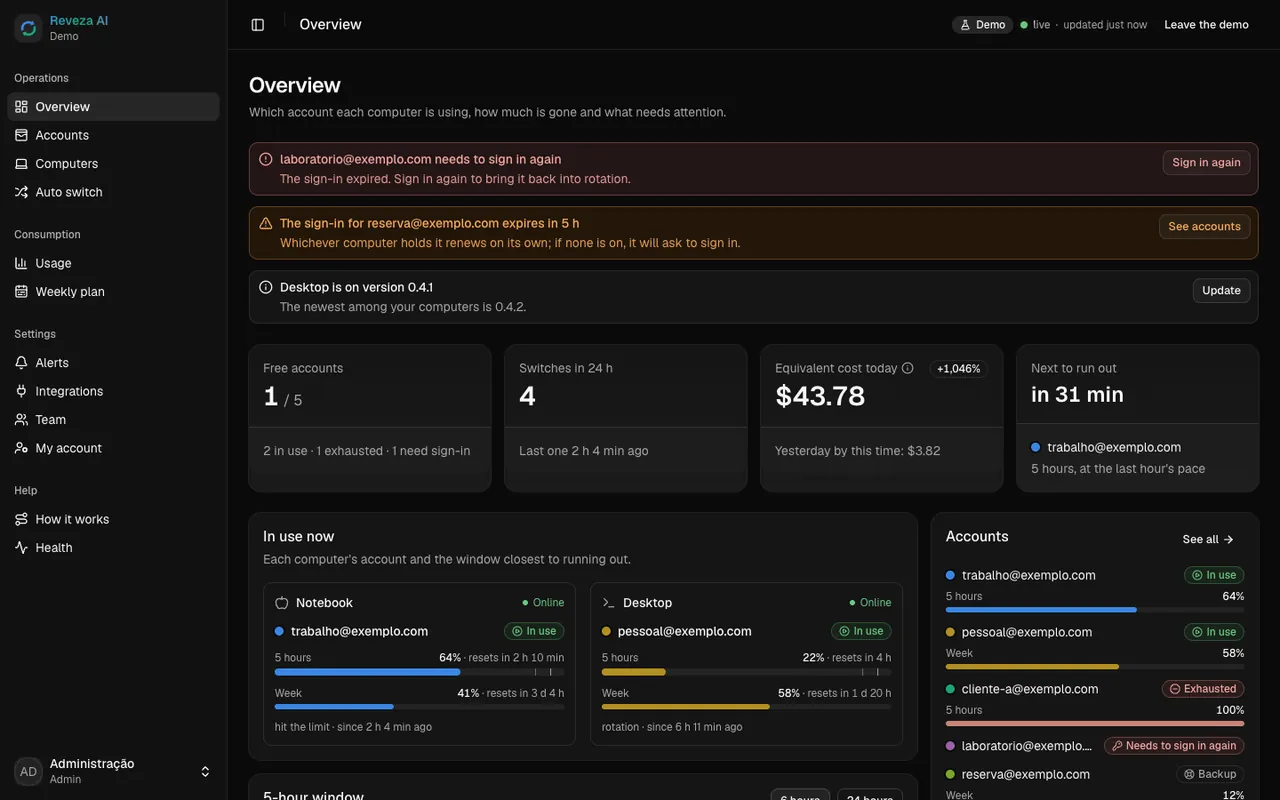
- Reveza reads each account's usage, warns at 90%, switches at 95%, and the open session goes on with the new account.
In this guide
What happens when the limit arrives
Each Claude account's usage is counted in windows. The best known is the 5-hour window; there is also a weekly limit. The numbers for each plan are set by Anthropic and can change: check your plan's page.
For the person working, the effect is simple: in the middle of the task, the session stops with a limit message, and the work waits until the window resets. Meanwhile, that account does not go on with the task.
- The task's context is left half done: a refactor, a deploy, an investigation.
- An agent running on its own overnight stops and only comes back when someone notices.
- Anyone with several accounts has to find out, on the spot, which one still has room.
The three ways people deal with it today
- 01
Wait for the window to reset
It works and costs nothing, but the work is on hold until then. For an agent running on its own, that can be the whole night.
- 02
Switch accounts by hand
Sign out, /login to the other account, open the session again and explain the context once more. It works, but it breaks the flow, several times a day.
- 03
Spread the work
Split projects across accounts and people and track who uses what in a spreadsheet. Nobody sees, in the moment, which account is running out.
What Reveza does
Reads each account's usage
The agent follows how much of the 5-hour window and of the week each account has used. Near the trigger, the account in use is read every 15 seconds.
Warns at 90%
The account in use raises a warning, and other accounts at that point stop being picked.
Switches at 95%
Moves to the next free account before any session gets blocked. Both numbers are the default, and you change them in the dashboard.
The session goes on
Open sessions keep going on the new account, right where they were, without restarting.
Nobody watching
If an unattended session stopped at the limit, Reveza resumes it on the next account.
A sound on every switch
The computer plays a system sound on every switch (
reveza som desligarturns it off). If you want, an alert arrives via Telegram, e-mail, webhook or phone, and the open dashboard chimes.
Prefer another way? In the dashboard you can pick only at the limit (stays until 100% or until a session is blocked) or rotation through the day. In any mode, the preference order, the reserve account, the time schedule and the weekly cap all apply.
Without internet, the computer keeps the current account and does not switch until the connection is back, because the cloud is what decides the switch. With --sem-nuvem, the computer itself decides.
Before you use it
Responsibility
Each person is responsible for the use of their own accounts and for Claude's terms of use. Reveza AI only switches between accounts that are already yours. Reveza AI is an independent project, not affiliated with Anthropic. Claude and Claude Code are trademarks of Anthropic.